Manual Control
Manual Control lets you advance the signal straight from the touchscreen — handy when a remote isn't nearby or its batteries have run out.
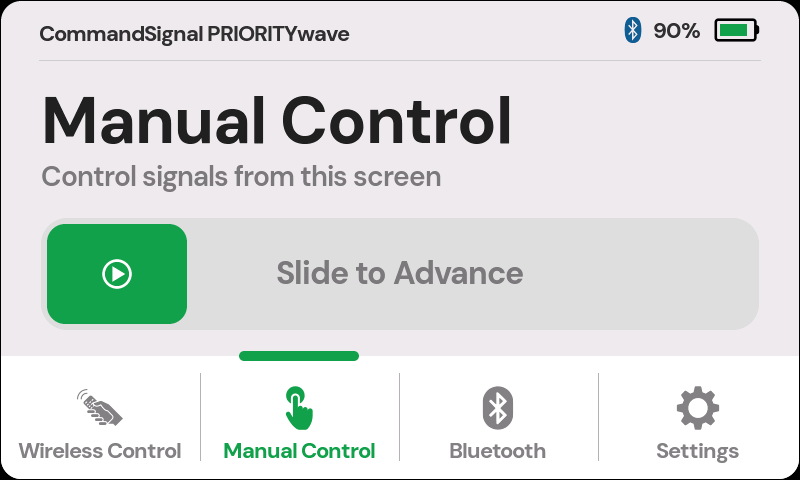
Send an Advance
- Tap
Manual Controlin the bottom navigation. - Drag the Slide to Advance control all the way to the right.
- Watch the signal.
The slide gesture is intentional — it can't fire from a stray tap or a bump. The display also stays awake the whole time this screen is open, so it's always ready for the next slide.
When the command fires, you'll hear the relay click, see the traffic-light icon in the status bar, and see the blue status light pulse twice.
Two timing notes:
- The receiver takes a brief moment between commands, so back-to-back slides won't all fire — give it a beat.
- If the controller is mid-way through pedestrian clearance or another safety interval, the lights won't change until that finishes. That's the controller doing its job, not a fault — see How Signal Timing Works.
important
The touchscreen doesn't replace cabinet manual mode. The cabinet must be switched to manual for any advance — touchscreen, remote, or app — to affect the signal.