LoRa (Long Range) Remote
The LoRa remote is the everyday way to run an intersection: one button, long range, and instant feedback from the LED ring around the button. It uses a long-range LoRa radio, so it works from much farther away than Bluetooth.
Batteries
The remote runs on standard AA batteries, and a set is included in the box.
There's no low-battery light. If presses stop getting confirmed even right next to the receiver, that's your cue — swap in fresh AA cells (replace the whole set at once).
Using the Remote
One press sends one advance:
- Make sure the cabinet is in manual mode and the receiver is on.
- Press the button once. The ring lights up while the remote sends the command, then flashes the result (see below).
- Watch the signal.
Holding the button down doesn't repeat the command — press again when you want the next advance.
What the LED Ring Tells You
The ring is a single color; the pattern is the message:
| Ring pattern | What it means |
|---|---|
| Solid on | Sending — the remote is transmitting and waiting for the receiver to confirm. |
| 3 quick pulses | Confirmed — the receiver got the command and sent the advance. |
| 5 quick pulses | Paired — the remote just paired successfully with a receiver. |
| Rapid strobing | Failed — the receiver didn't confirm. Move closer and press again. |
| Fades out | All done — the remote is sleeping and waiting for your next press. |
Pair a Remote
A new remote needs to be paired to your receiver before it will work:
- On the receiver, open
Settings>Paired RF Remotesand tap the+button. (If no remotes are paired yet, thePair a Remotebutton on the home screen goes to the same place.) - The receiver listens for 30 seconds — you'll see a countdown.
- Press the remote's button once. The remote flashes 5 times and the receiver shows a success screen after pairing. Done.
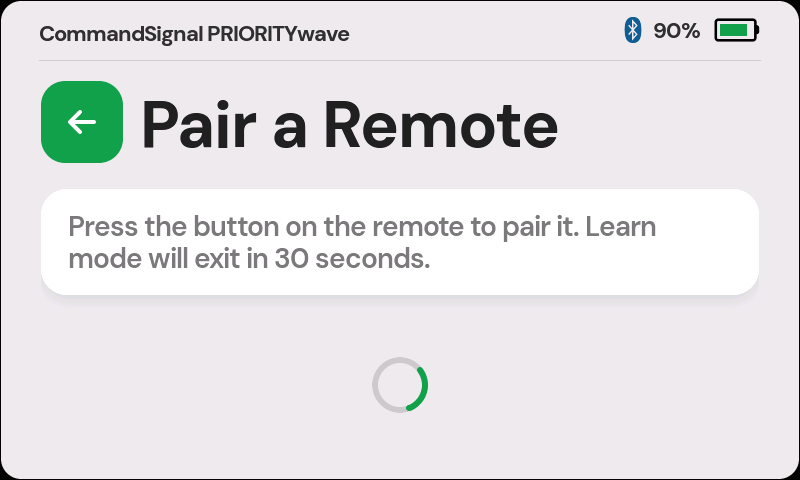
If pairing doesn't take, move the remote closer to the receiver and try again.
Pairing is secure — a remote only controls receivers it has been paired with, so a neighboring crew's remote can't touch your intersection.
Manage Paired Remotes
Settings > Paired RF Remotes lists everything paired to the receiver, up to
four remotes.
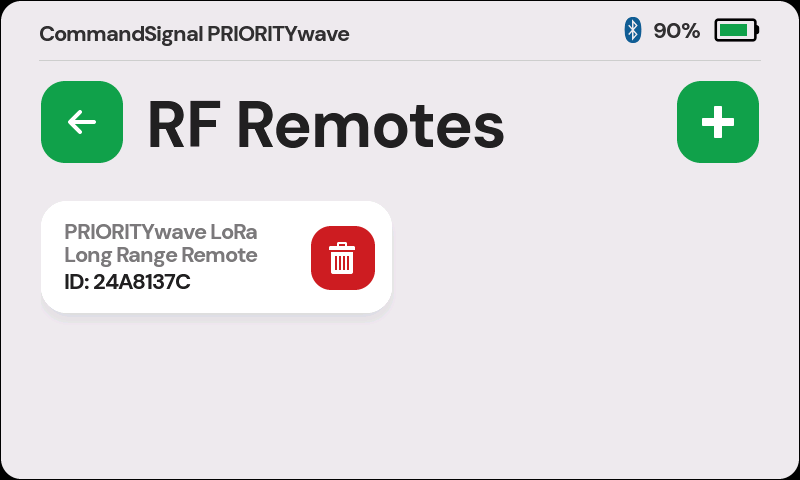
- Which remote was that? When a paired remote sends a command, its card flashes briefly on this screen — useful when several operators are working the same scene.
- Remove a remote by tapping the delete button on its card. A deleted remote must be paired again before it can send commands.
- All four slots full? Delete an unused remote first, then pair the new one.
Range and Reliability
Real-world range depends on terrain and obstructions, but LoRa carries much farther than Bluetooth — well beyond what you'd ever need to see the intersection you're controlling.
If a press comes back unconfirmed (rapid strobing):
- Move closer to the receiver and press again.
- Check that the receiver is powered on.
- Still failing at close range? Replace the AA batteries.