Getting Started
Setting up PRIORITYwave at a cabinet takes just seconds. Here's the whole process, start to finish.
1. Turn On the Receiver
Flip the power switch on. The touchscreen starts up and shows a short Getting Started guide that walks through the same cable and cabinet steps covered below.
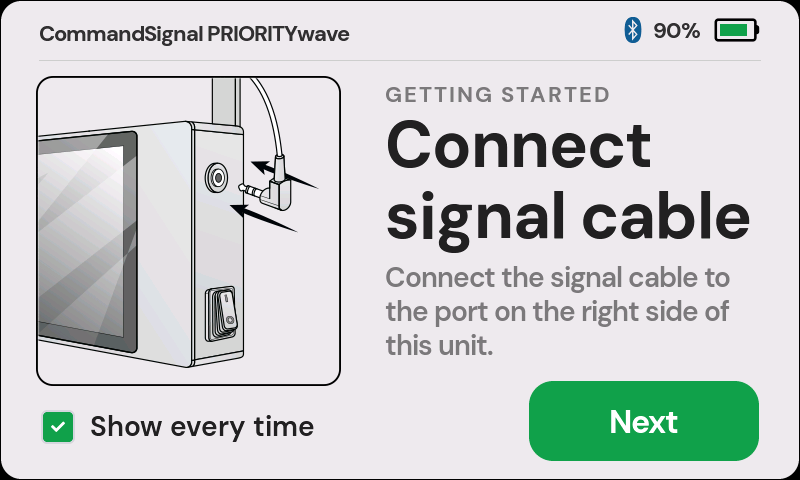
The guide has a Show every time checkbox in the corner. Once your crew knows
the routine, uncheck it and the receiver will boot straight to the Wireless
Control screen. You can bring the guide back anytime with Settings >
Show Startup Guide.
If the battery is low, plug in USB-C power — any 5 V USB-C source works, including a portable battery pack (like the one included with your system).
2. Connect the Signal Cable
Take the included signal connection cable (3.5 mm TRS to 1/4" TRS) and plug the smaller end into the jack on the top right of the receiver. Plug the larger end into the cabinet's manual push-button port — usually labeled PB Manual Cord, Push Button, Manual, or something similar.
Give both ends a firm push. A half-seated plug is the most common reason a command never reaches the cabinet.
3. Switch the Cabinet to Manual
Open the police access panel (or your agency's approved access point) and switch
the signal to Manual, Hand Control, or your local equivalent.
In manual mode, the cabinet will immediately stop its normal automatic timing — the current phase will hold indefinitely and won't advance on its own for vehicles or pedestrians. Switch the cabinet back to automatic when you're done.
4. Advance the Signal
You're ready to control the intersection. Send an advance any of these ways:
- Press the button on a paired remote. The Wireless Control screen shows how
many remotes are paired; if none are, tap
Pair a Remotefirst. - Use the CommandSignal app on your phone or watch. The CommandSignal App guide covers setup and pairing.
- Use the touchscreen. Open
Manual Controland drag the Slide to Advance control.
When the receiver sends a command, a traffic-light icon appears in the status bar, the device clicks audibly, and the blue status light pulses twice.
One thing to know before your first shift at a new intersection: the traffic controller still enforces its own safety timing, so an advance may not move the signal instantly — pedestrian countdowns and clearance intervals always finish first. How Signal Timing Works explains what to expect.