Manual Control
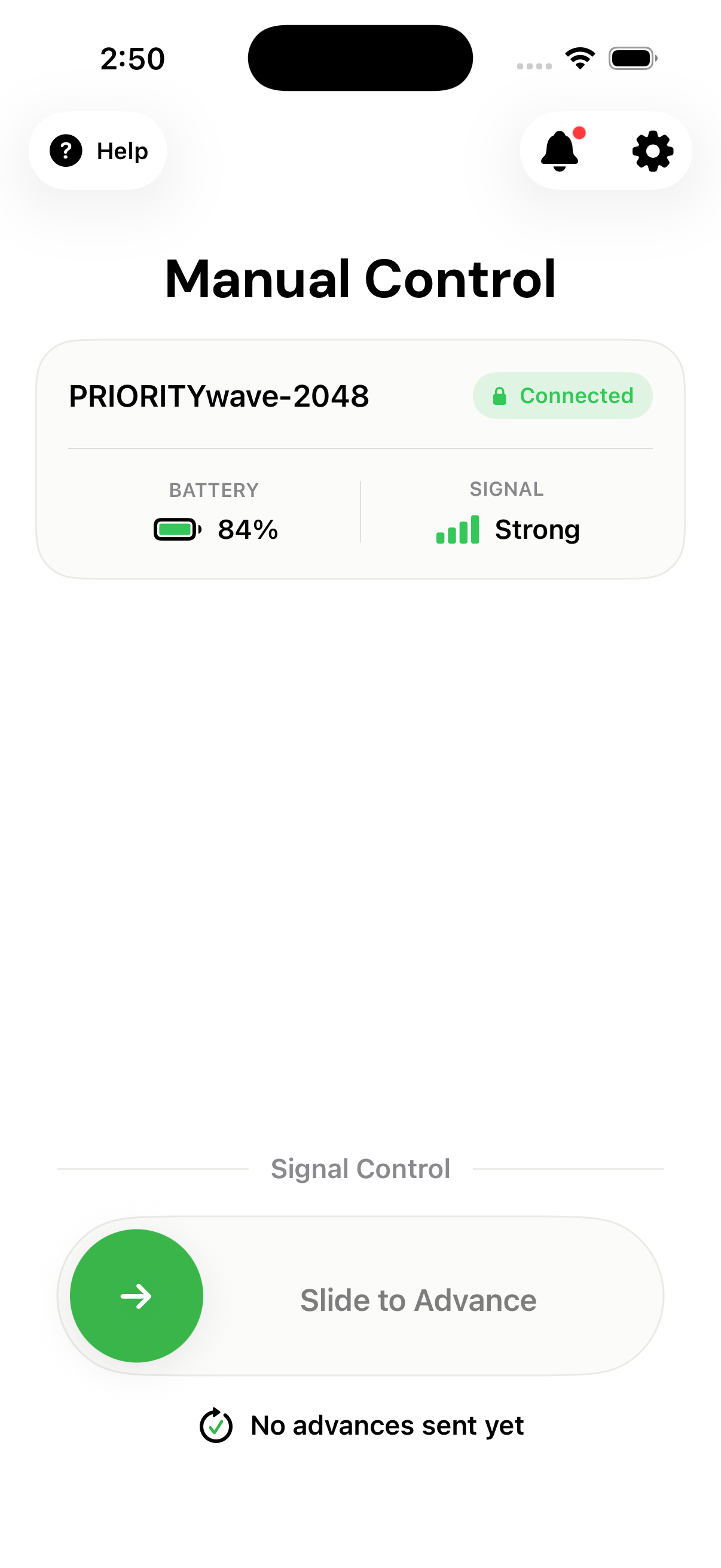
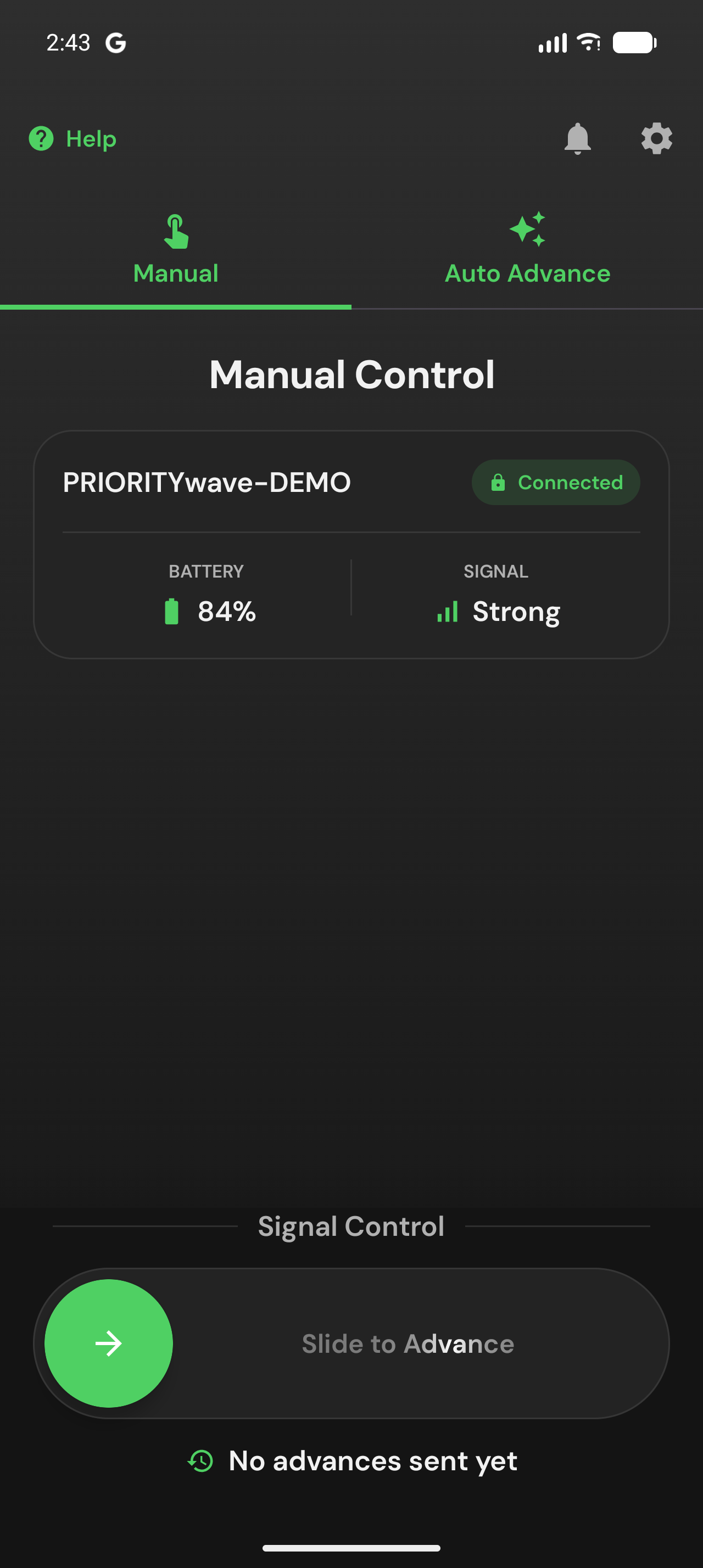
Manual Control is home base once a receiver is connected: receiver status up top, the Slide to Advance control at the bottom.
The Status Card
The card shows the connected receiver's name, connection state, battery
level, and Bluetooth signal strength (Strong, Fair, or Weak). If
something needs your attention — battery running low, weak signal, connection
dropped — the app surfaces a card telling you exactly that, and can also send a
phone notification (see
Settings and Notifications).
Advance Signals
Drag Slide to Advance all the way to the right and release. The slide gesture is deliberate — an advance can't fire from a pocket tap.
The app confirms every command with an overlay and a haptic:
- Advance Confirmed — the receiver acknowledged and fired the command.
- Advance Failed — the command didn't fire. The line underneath says why:
- The device did not respond. — usually range. Move closer and try again.
- Device is busy. Try again in a moment. — you advanced again before the receiver's cooldown ended (2 seconds by default, set on the receiver under Advance Cooldown). Wait a beat and slide again.
Below the slider, the app keeps a running Last advance 30s ago timer — a
quick sanity check on your cycle timing, and it feeds
Auto Advance if you use it.
If the receiver isn't connected, the slider is disabled until the link is back.
Remember: a confirmed advance means the receiver successfully sent the command to the traffic cabinet. The traffic controller may still hold the lights for a pedestrian countdown or clearance interval before anything visibly changes — see How Signal Timing Works.
Screen and Reconnection Behavior
- Your phone won't auto-lock while the Control screen is up (that's the
Keep Screen Onsetting, on by default). - If you wander out of range, the app shows
Reconnectingand restores the link automatically as you come back — no need to re-pair.