Auto Advance
Auto Advance is a beta feature that learns your rhythm and takes over the button-pressing. Run the intersection manually for a few cycles, and once the app has learned the pattern, it fires the advances on schedule while you supervise.
Auto Advance assists you — it doesn't replace you. Stay on the Control screen, keep watching the intersection, and be ready to pause or take over manually at any time.
Turn It On
Open Settings and flip on Enable Experimental Features. Two tabs appear on
the Control screen: Manual and Auto Advance.
Teach It Your Cycle
Switch to the Auto Advance tab and keep operating manually with the slider. The app captures the timing of each advance — you'll see a counter fill up (it needs to watch your cycle repeat about three times).
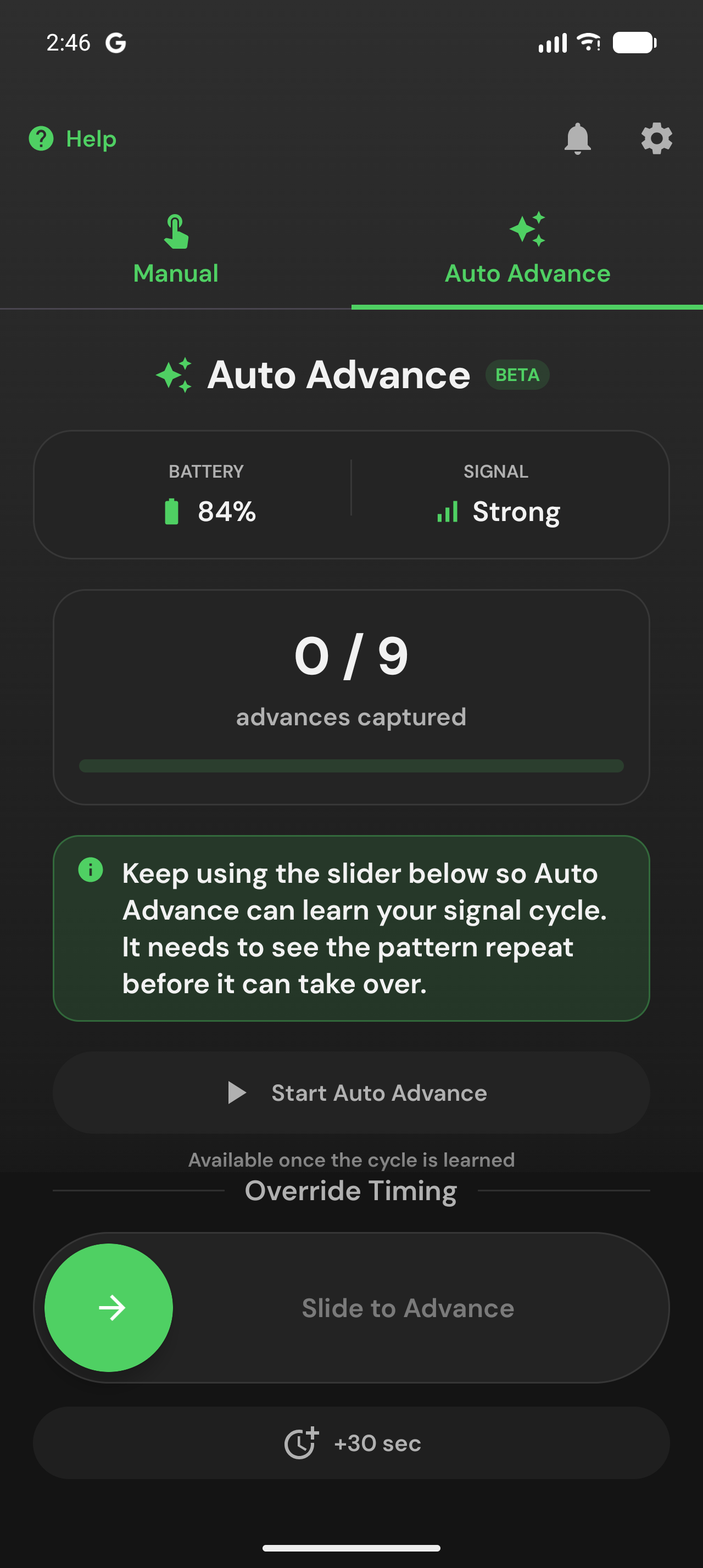
Once the cycle is learned, the screen switches to a countdown ring showing when the next advance will fire, which phase of the cycle you're in, and the timing pattern it learned.
Start, Pause, Extend
- Start Auto Advance begins automatic advances on the learned schedule.
- Pause / Resume whenever conditions change — traffic surge, pedestrians, anything.
- +30 sec stretches the current phase when one direction needs more time.
- The Slide to Advance control still works anytime for an immediate manual advance.
Auto Advance keeps refining its timing as it runs, so small drifts in the cycle are absorbed automatically.
It Stops When You Leave
By design, Auto Advance only runs while you're on the screen. Locking the phone, switching apps, or switching back to the Manual tab stops automatic advances immediately. When you return, check the state before resuming.